
| The following is a sponsored post by Priority Pass. The opinions remain those of The MileLion |
Priority Pass has launched a new app called Priority Pass+, which is now available in Singapore (Android | iOS).
As the “+” suggests, this fully rebuilt app brings with it several new features, including an improved lounge directory, new planning tools, and perhaps the most requested feature of all: the ability to manage multiple Priority Pass memberships.
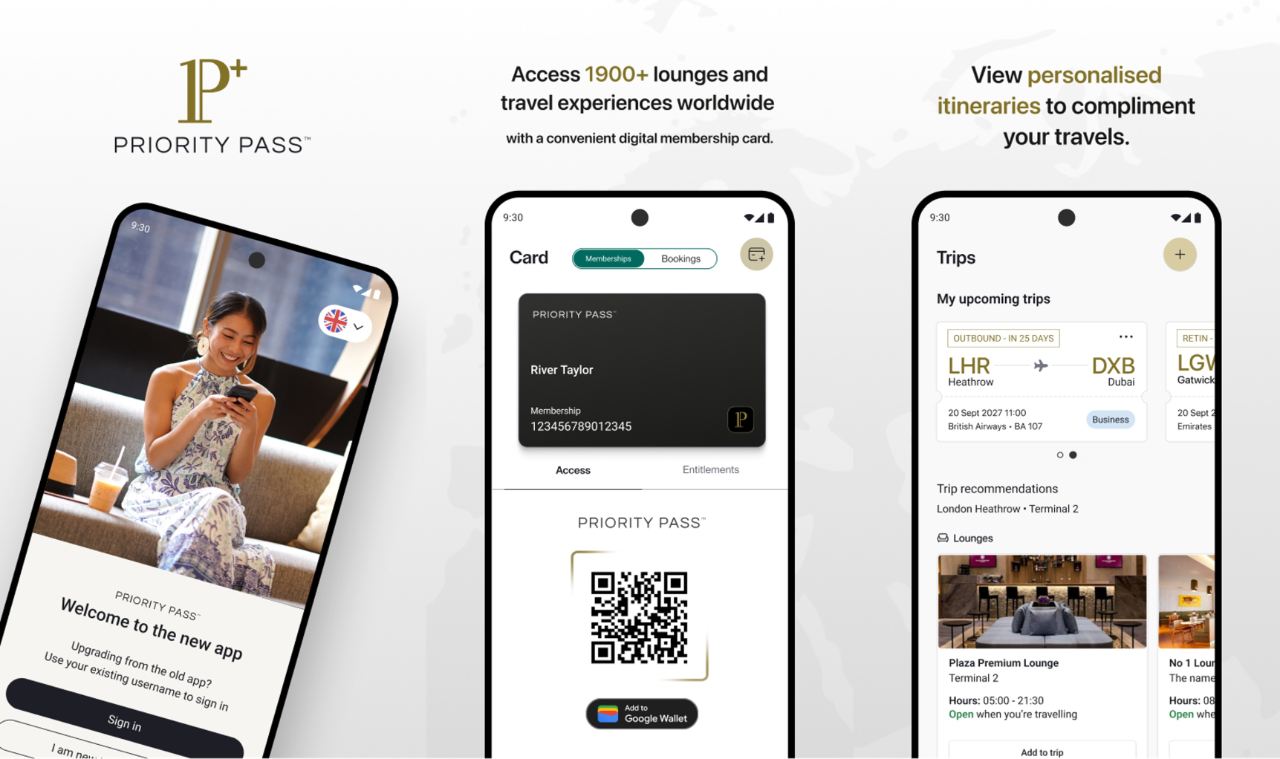
To be clear, Priority Pass+ is a completely separate app, not an update of the existing Priority Pass app. The Priority Pass+ app will eventually replace the Priority Pass app, but both will coexist for a limited period while members transition. Installing Priority Pass+ does not remove the existing Priority Pass app, and you can run both side by side on your phone.
However, given the significant improvements and convenience offered by the Priority Pass+ app, I’ve already made the switch — and I think you should too.
| 💳 Note: Not available for LoungeKey members |
| While Priority Pass and LoungeKey have the same parent company, the Priority Pass app can only be used by Priority Pass customers. |
What new features does the Priority Pass+ app offer?

Managing Priority Pass memberships
Let’s start with one of the biggest improvements: multi-membership management.
With so many credit cards offering Priority Pass as a perk, it’s common to end up with multiple memberships.
However, the old Priority Pass app only allowed users to log in to a single membership at a time. Switching to a different membership required logging out and in again — and unless you followed a particular naming convention when selecting usernames, chances are you might have forgotten which username is linked to what membership.
The new Priority Pass+ app solves this problem by allowing users to manage multiple memberships seamlessly, without the need to memorise and store multiple login credentials. All you need to do is perform a one-time linkage, after which you can scroll through and select whichever membership you want to use.
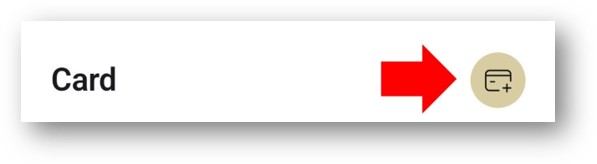
To add your existing Priority Pass memberships to the Priority Pass+ app, tap on Card > Add Card (the circular button at the top right).
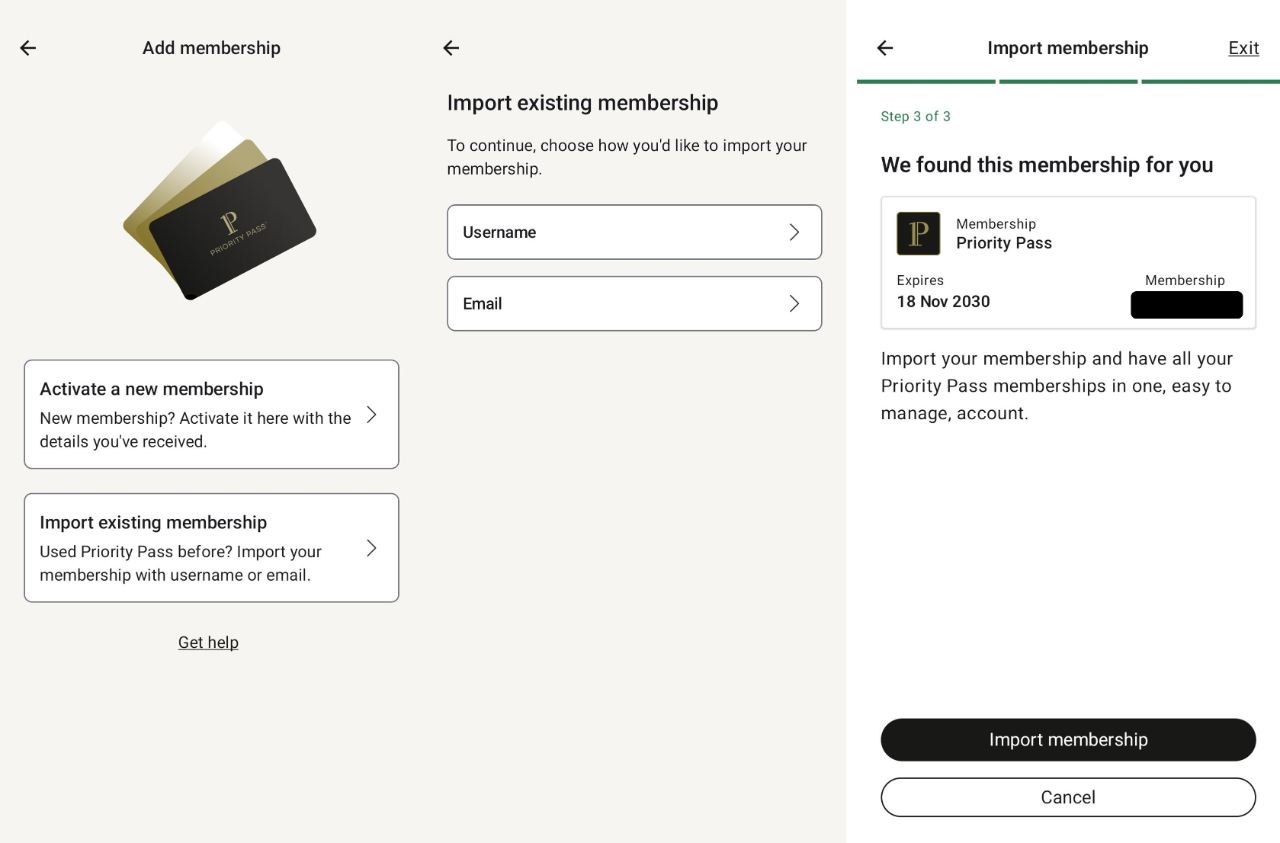
You’ll be asked whether you want to activate a new membership, or import an existing one. Tap on import, enter your username and password, and Priority Pass will look up your membership. Do note that during the transition period, availability may vary. In other words, if you can’t add your membership just yet, be patient — it’s coming.
| ❓ What if I can’t remember my username? |
| If you’ve forgotten your username, you can recover all the usernames associated with a given email address via this page. |
Tap on Import Membership, and you’re done. You can then repeat this process for your remaining memberships, and view all of them on the Card tab.
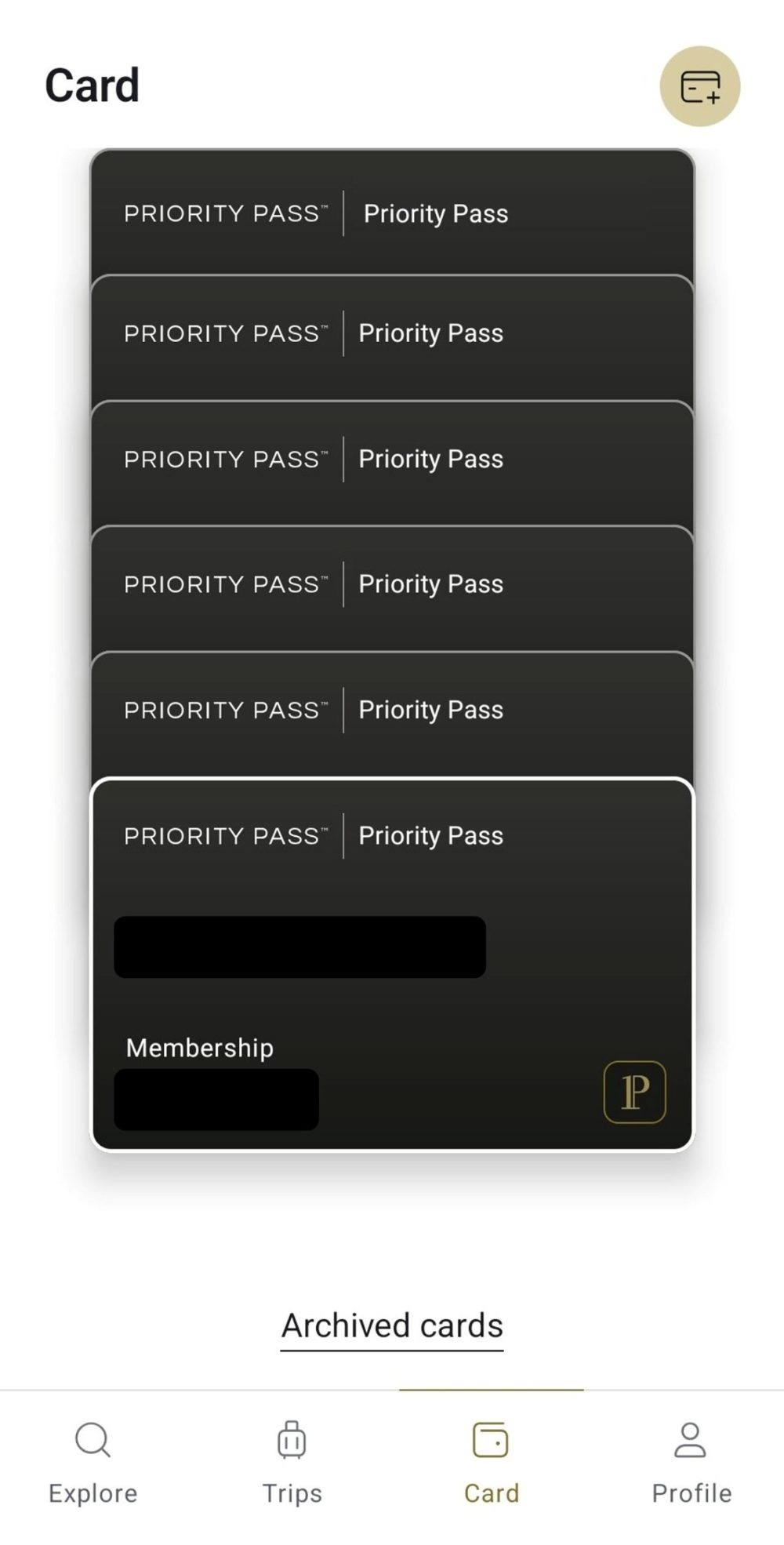
You may have noticed that this creates a carousel of identical-looking cards. In other countries like the United States, cards are labelled with the issuer’s name, making it easier to tell them apart.
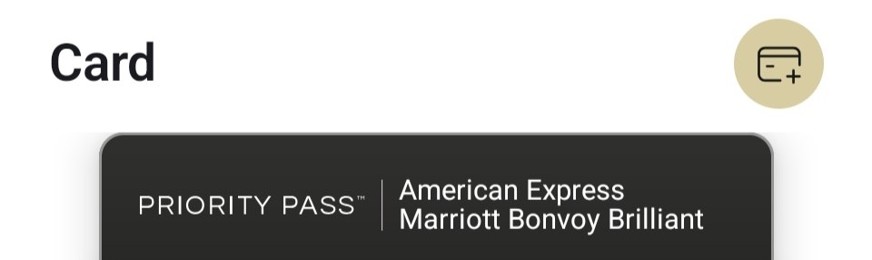
I’ve given feedback to Priority Pass about this issue, and they’ve told me it’s something they’re working on adding here in Singapore too, though ultimately it will be issuer-dependent (i.e. the availability depends on whether your bank decides to turn it on).
I’ve also suggested the possibility of adding a nickname feature, if that’s something which can be shipped more quickly.
In the meantime, there are some UX improvements that make it easier to tell memberships apart.
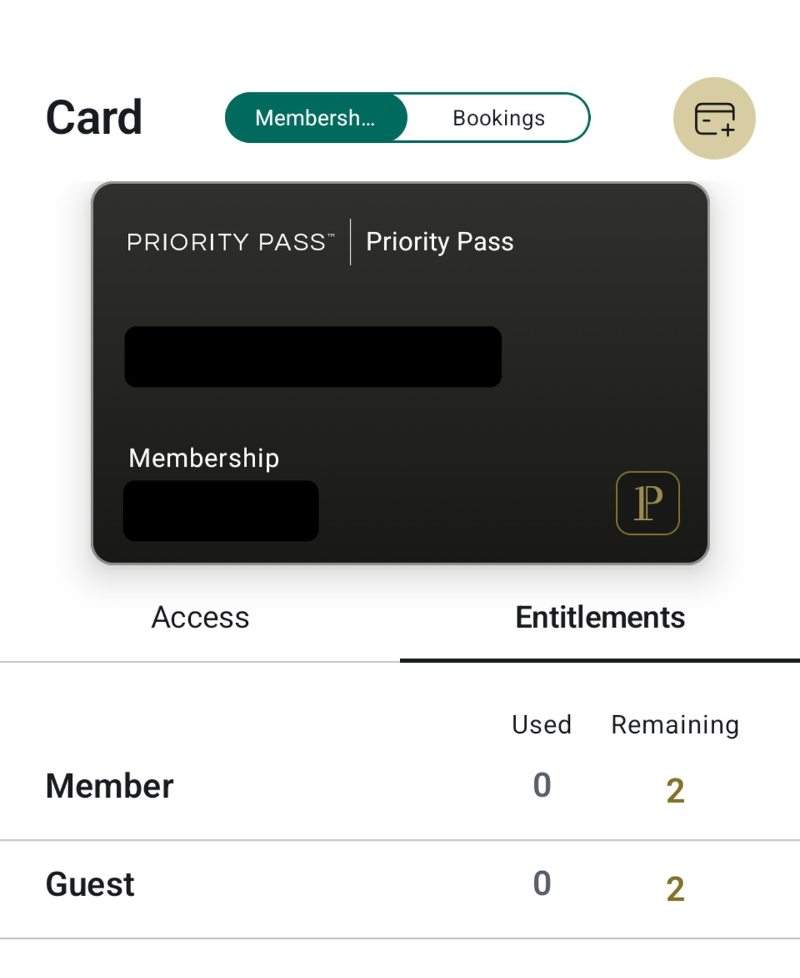
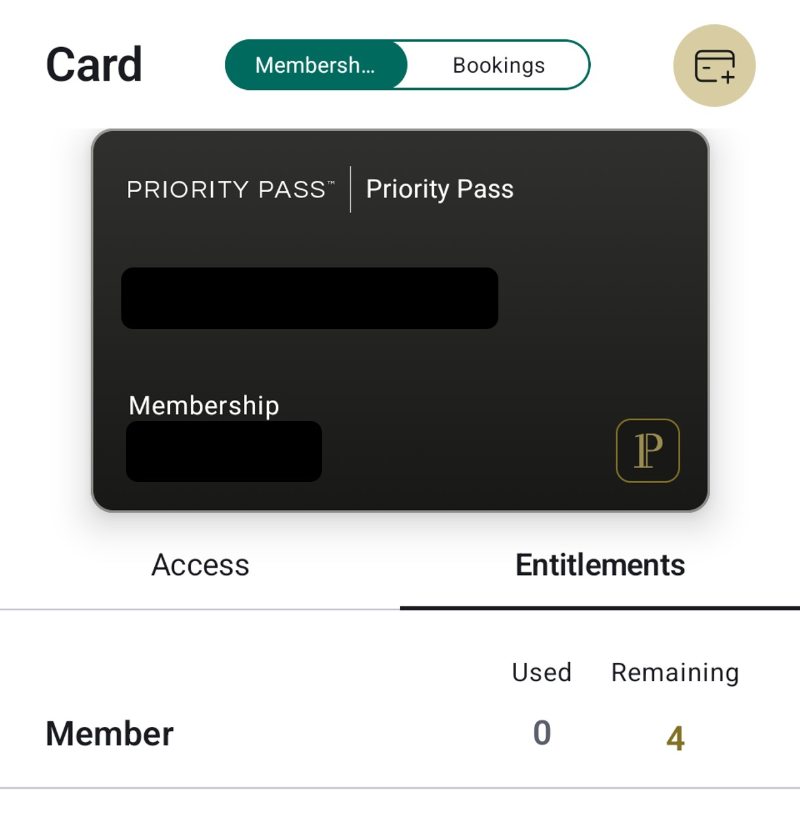
For example, some Priority Pass memberships allow visits to be shared with guests, while others don’t. The Entitlements tab on the Priority Pass+ app shows whether visits can be shared, by breaking them down into member and guest.
Here’s what it looks like for the DBS Altitude Visa’s Priority Pass. The Entitlements tab shows two visits in total, which can either be used solely by the member, or the member with a guest (don’t read this the wrong way — it doesn’t mean you have 2 + 2 visits; once you redeem a visit, both the Member and Guest rows will show one visit remaining).
In contrast, here’s the Entitlements tab for the UOB PRVI Miles Card’s Priority Pass, which shows four visits in total, for the Member’s use only.
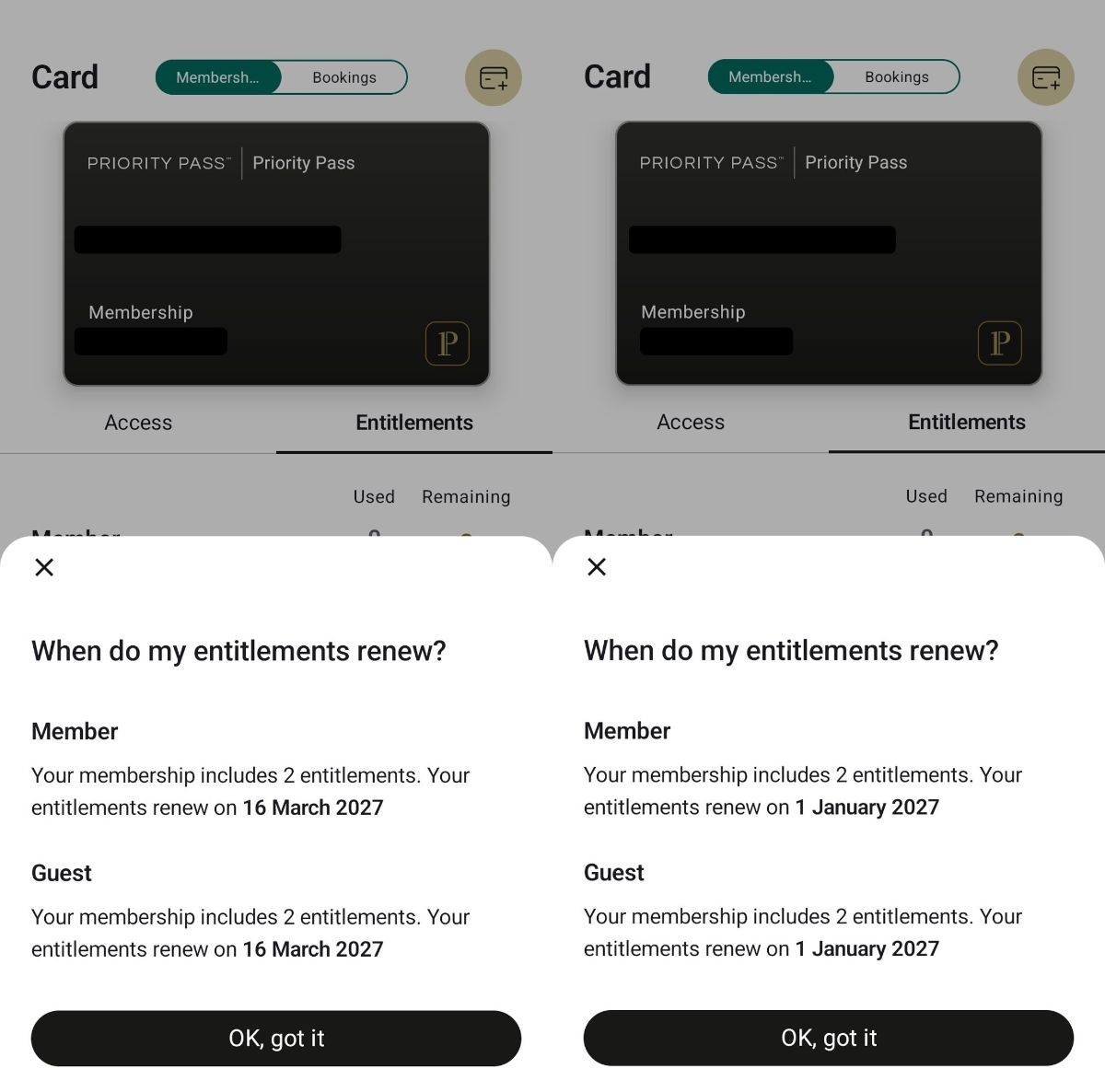
Also, some Priority Pass memberships track entitlements by calendar year, and others by membership year. You can check this on the Priority Pass+ app by tapping on the “When do my entitlements renew” link, which shows when your entitlements reset.
In the screenshot below, the membership on the left is from my DBS Altitude Visa (visits reset every membership year), and the one on the right is from my Citi PremierMiles Card (visits reset every calendar year).
Lounge directory
The new Priority Pass+ app includes an enhanced lounge directory, which lets you shortlist lounges or airport experiences based on the date and time of your visit.
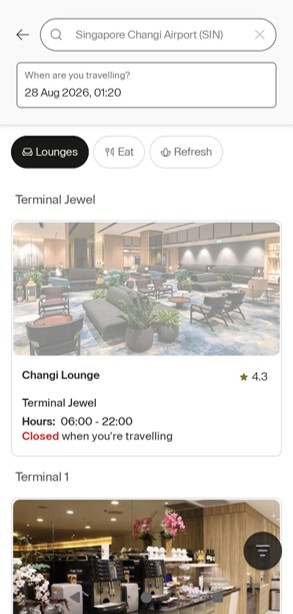
What I also like is that it only displays the lounges and airport experiences that are available to your particular membership. For example, American Express-issued Priority Pass memberships do not include non-lounge experiences such as restaurants or spa treatments, so these will not be listed.
If you activate geolocation services, you can view an automatically-updated list of lounges and experiences depending on where you are at the moment.
Trip planning
The new Priority Pass+ now offers a trip planning feature, though the functionality is rather basic for now. Essentially, you import your itinerary, and it suggests suitable lounges and travel experiences, based on the airport and terminal you’re departing from.
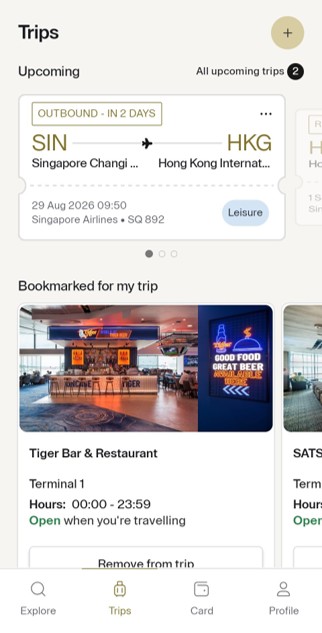
However, in time it will also be able to suggest on-the-fly modifications to your plans, based on gate changes, lounge capacity (see below) and other indicators.
In-app payments
There may be certain situations where Priority Pass members need to pay additional fees, such as when they’ve used up their complimentary visits, want to bring additional guests, or are visiting selected lounges (e.g. the Virgin Atlantic Clubhouses in the United States).
The Priority Pass+ app now has the ability to store payment methods, making these payments more seamless. This can be found under Personal Information > Billing Details.
What else is coming soon?
Busyness indicators
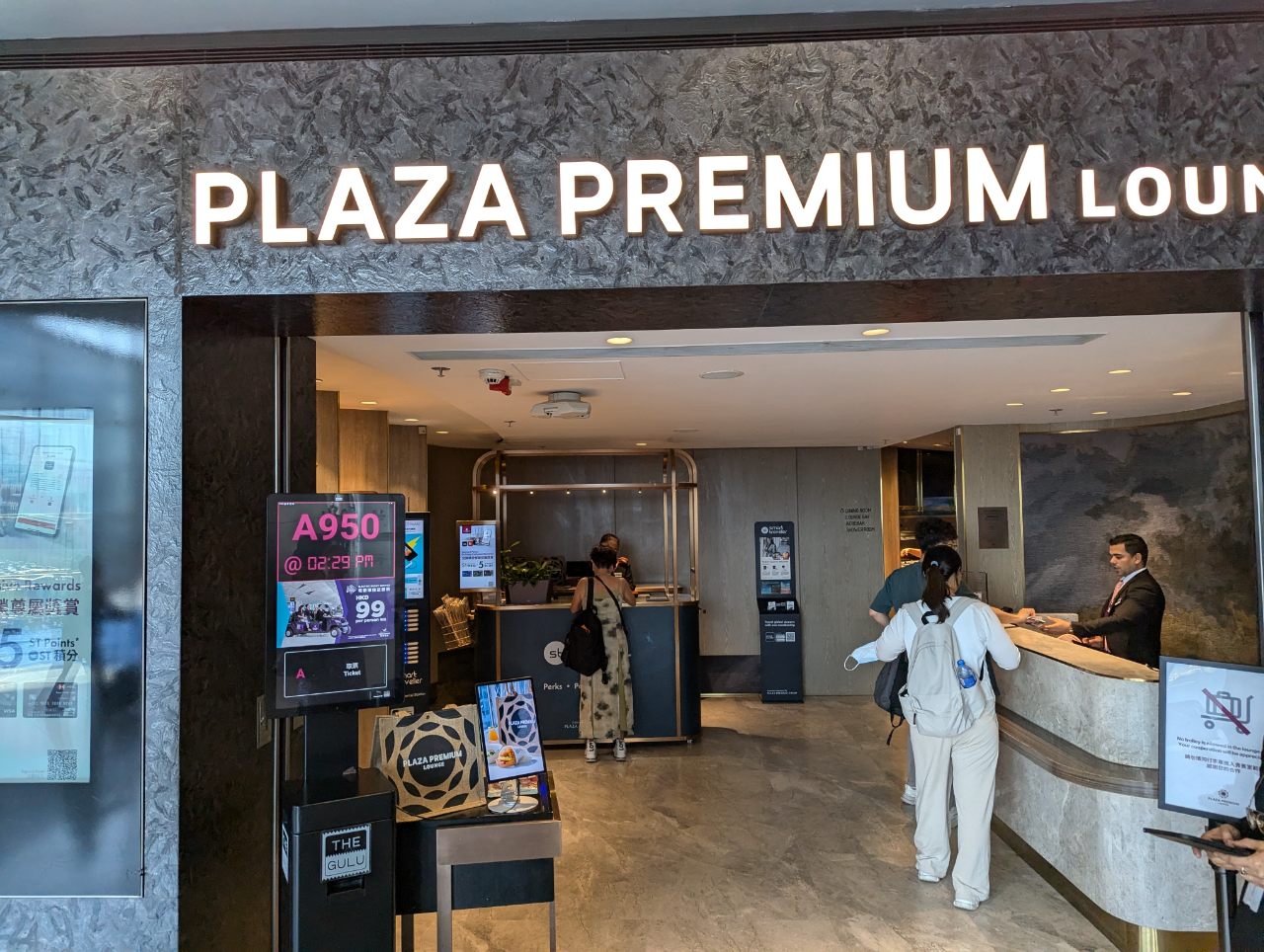
Some airport lounges can get very crowded during peak periods, and it’s annoying to hike all the way over only to discover they have a waitlist, or aren’t accepting any more guests at the moment.
Priority Pass is working to integrate crowding indicators into the Priority Pass+ app, so that customers can be better informed about crowd levels and alternatives.
Shared Entitlements
It’s quite common for banks to offer Priority Pass visits to principal cardholders, but not supplementary cardholders. Principal cardholders may be able to share their visits with supplementary cardholders, but here’s the catch — only when they’re travelling together.
With the upcoming Shared Entitlements feature, the principal cardholder will be able to use the Priority Pass+ app to share their visits with the supplementary cardholder, even when the latter is travelling independently.
Do note that this feature will only be available if the bank that issues the Priority Pass membership chooses to activate it, but it’s something to watch out for.
Conclusion
The new Priority Pass+ app adds numerous features that make the travel experience much more seamless, such as multiple membership management and an improved lounge directory.
There are also smaller quality-of-life improvements like the ability to log in with an OTP, and consolidating the digital membership card and pre-booked access into a single tab.
Priority Pass has promised more features to come in the near future, so stay tuned.

The new app doesn’t let me log in and won’t recognise that I already have an account. Even though it still actively lets me log in on the original app and shows both my email address and a live PP account number.
Do you happen to have the contact details of their support team Aaron? Thanks
you’d have to raise this through their official support channels- i believe it’s in the app
when you use the new app you need to log in using your user id (not email), and create a new account thereafter. you then need to add all your accounts using the various user ids
With the old app I can login to see the experiences the card allowed me to have. But if I have both Amex and other cards inside the new app, how will it know if I can see it all? Will it just simply show that I have access to everything?
when you select the PP linked to amex, the lounge directory wont show you the non-lounge experiences.
For my case, citi prestige and UOB prvi accounts that cant be imported… has still do separate login.
weird, i managed to import my uob prvi miles no issue
I contacted an unhelpful a little rude customer service lady, she said that it’s because my prestige and prvi PP accounts are using different email compared to my vantage, altitude and premiermiles.
thus cant be imported into one login and has to do separate sign-in… not sure what’s the bullshit level, but yea… seems its restricted for now.
i can add one card, when adding another it shows card already added but i cannot see it on the card tab, anyone face this issue?
Same, added another card, then it only shows the newly added card, but no multiple cards in the card tab
repeated for another card, same outcome, so only seeing the latest added new card at any given time
[…] has trained members to maintain a small municipal bond portfolio of nearly identical lounge cards. The MileLion reported that the app supports multiple memberships, improved directory functions, OTP login, and […]
I have just cancelled my citibank prestige card. I can still see my priority pass active with 12 lounge visits. Expiry is 31/12/26. Does anyone knows if I can still use the visits and if I will billed for them? Please advise.
Hi, does anyone knows if I can still used my priority pass from citi prestige after cancelling the card? I still have 12 visits showing on the app and membership year expires 31 Dec 26. Thank you.
You can try then let us know. That would be a positive contribution to community knowledge.
Usually you can as I have done so with other bank approved PP in same such scenario. Thank you
P. S. @Milelion…not sure how I tag you. Transpa changi closing 2 Nov it seems. Thanks as always
https://milelion.com/2026/08/21/transpa-at-changi-terminal-2-closing-november-2026/
yup! covered it previously.
Do you know the difference between a white and black card?
I don’t know how to attach a pic, my 2 US AMEX cards are shown in black but my HSBC Premier SG is shown as white color.