
Last month, Amaze Card users noted that MCCs for declined transactions were taking up to 15 minutes to appear on the Instarem app, instead of instantly. This greatly diminished the utility of using Amaze to check MCCs on the fly.
When asked, Instarem denied making any changes on its backend. However, customers were understandably suspicious, given that earlier this year, MCC details were hidden for unsuccessful wallet-linked transactions, in an apparent attempt to dissuade customers from checking MCCs with a wallet-linked Amaze.
In any case, this issue appears to have been resolved, and MCCs for declined transactions are appearing instantly again. This was actually reported back on 29 October, but I wanted to monitor the situation for a few weeks to confirm it was stable.
Amaze restores instant MCCs for declined transactions

You can once again check MCCs instantly by making an unsuccessful transaction with a blocked card-linked Amaze.
In case you’ve forgotten the steps:
- Log in to your Instarem app > Card > Manage
- Disable in-store purchases and online purchases
- Ensure your Amaze is paired with a credit or debit card
- Attempt the transaction with your Amaze
- Check the MCC under the Activity tab
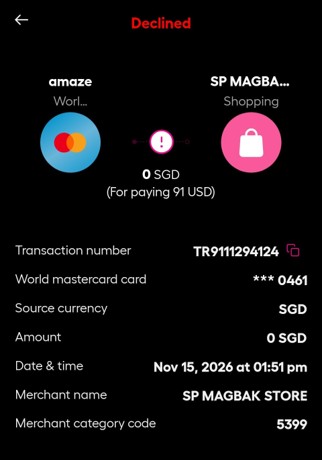
I’ve been testing this regularly over the past three weeks, and MCCs have consistently appeared instantly.
Remember: if you want to use Amaze to check MCCs, you must pair it with a card, and not a wallet. MCCs for unsuccessful wallet-linked transactions are no longer displayed.
| Card-linked | Wallet-linked | |
| Successful | ✅ Shows MCC |
✅ Shows MCC |
| Declined | ✅ Shows MCC |
❌ No MCC |
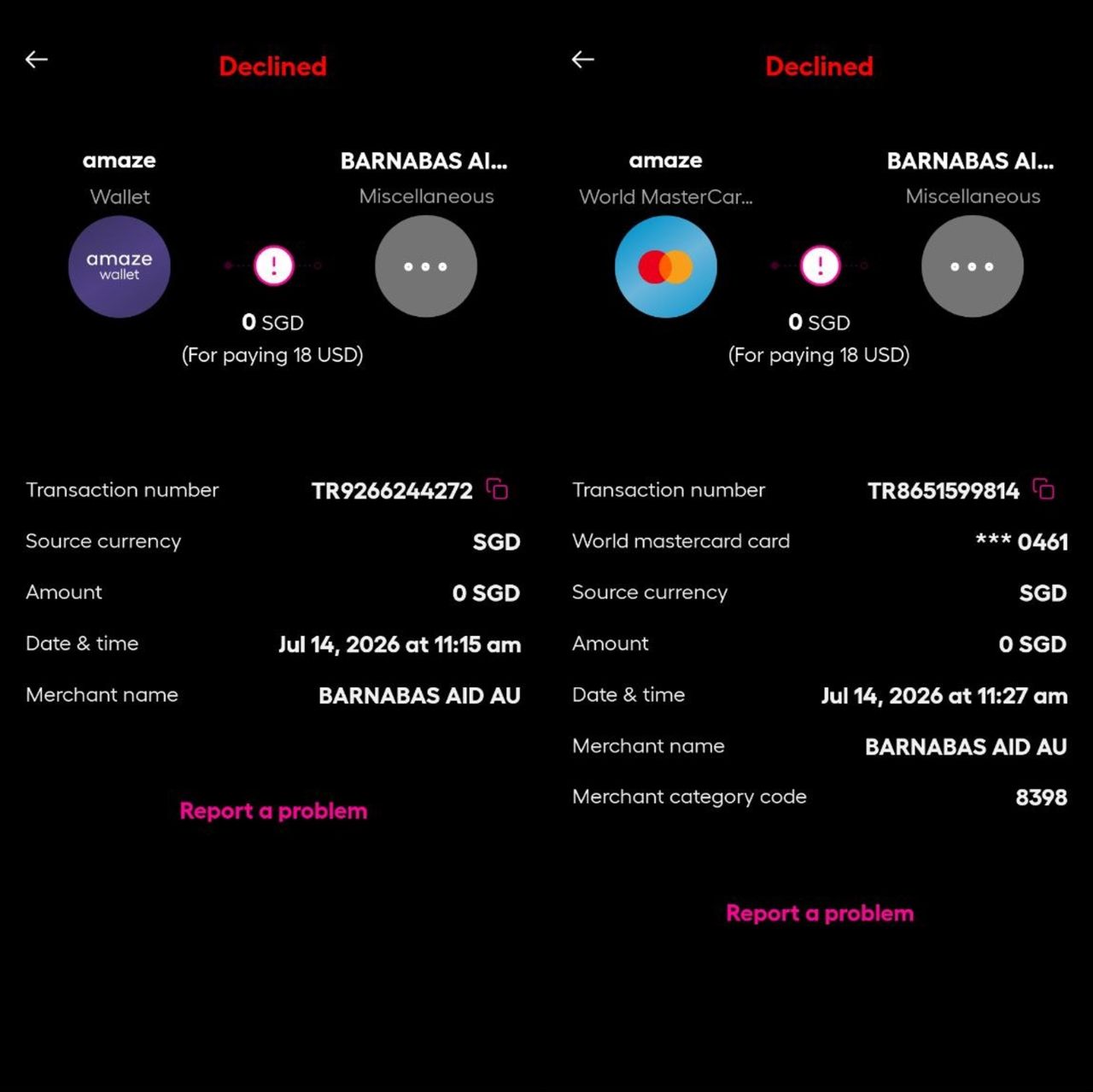
Below is an illustration of what you’ll see for a declined wallet transaction (LHS), compared to a declined card-linked transaction (RHS).
Other ways to get instant MCCs
The good news is that if Amaze ever decides to go walkabout again, we have alternative options to check MCCs instantly.
Trust cards

If you have a Trust credit or debit card, you can check the MCC of a merchant by putting a temporary block on your card, attempting the transaction, then checking the app for the declined transaction details.
To do this, open the Trust app, tap on View Cards > Lock Card. After this, attempt the transaction, whether online or in-person. Once it fails, look for the Activity section, tap View All, then tap on the transaction you just attempted.
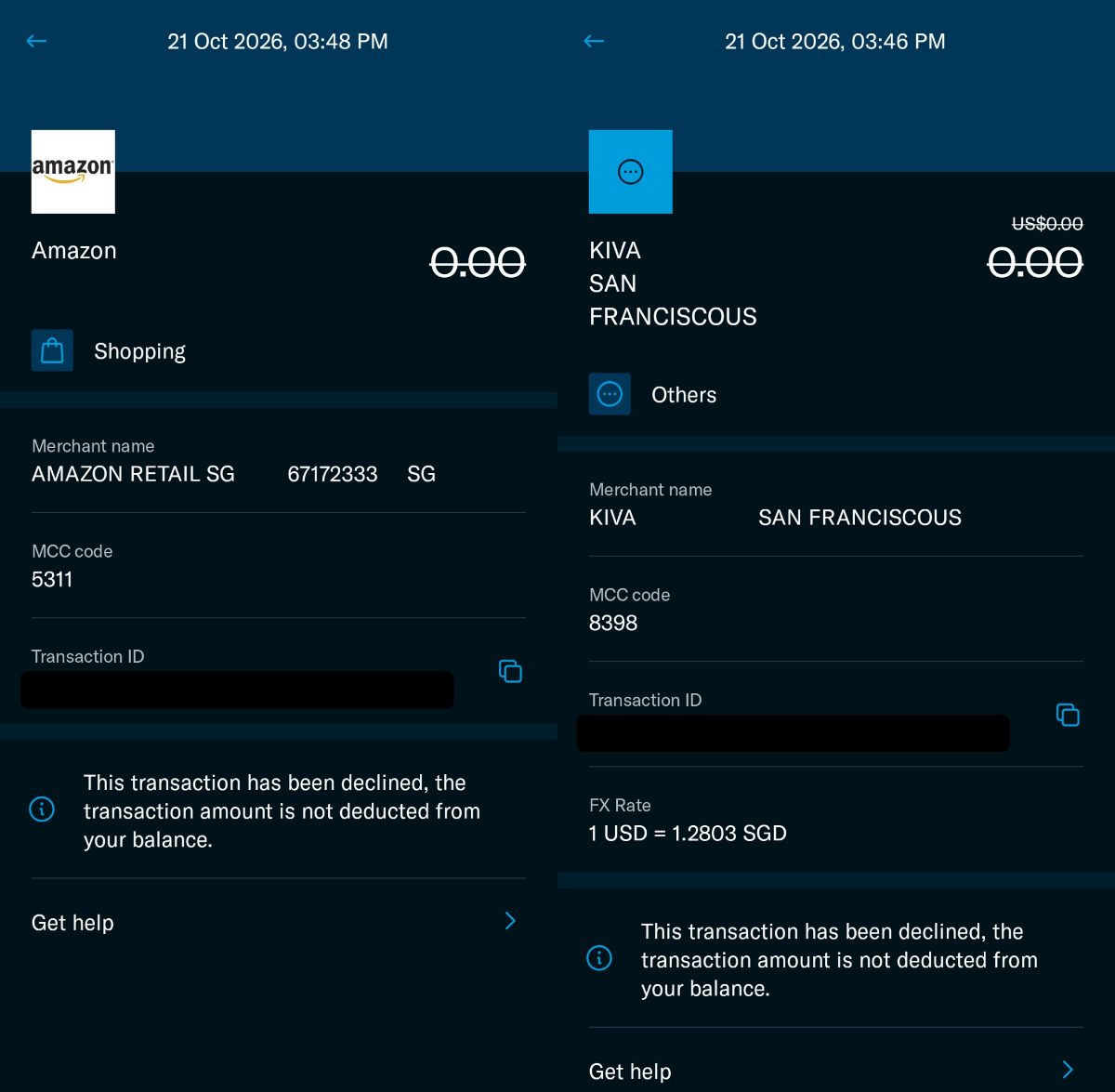
While this works for me, some cardholders have reported that placing a complete block on their card prevents them from even attempting transactions. In that case, you can keep the card unblocked, but disable physical card, contactless, ATM withdrawals and online and in-app transactions under Manage Card Settings.
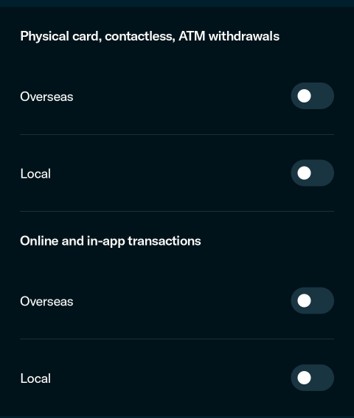
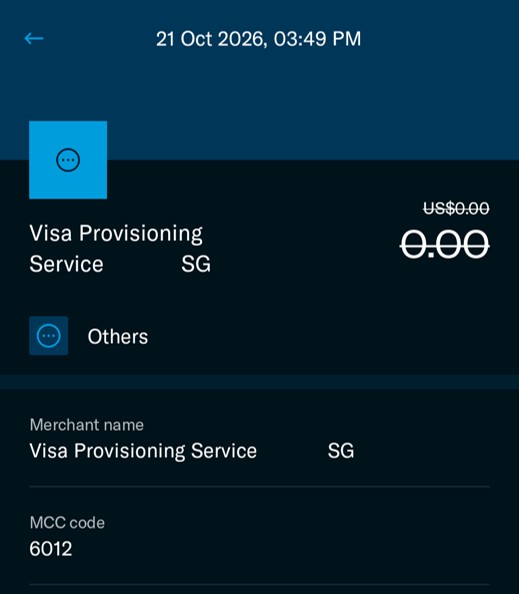
Do note that online transactions may sometimes show up as Visa Provisioning Service under MCC 6012. If so, you’ll have to use another method to check.
DBS digibot

DBS cardholders can place a temporary block on their credit card, attempt a transaction, then use the digibot to find the MCC.
To block the card, log in to the DBS app > Cards > Select the card > Payment Controls > Lock the card. After the unsuccessful transaction, tap the digibot icon on the top right of the home screen, then “Check Recent Transactions” > Proceed > Credit Cards > Select the card > View Transaction history > Declined Transactions.
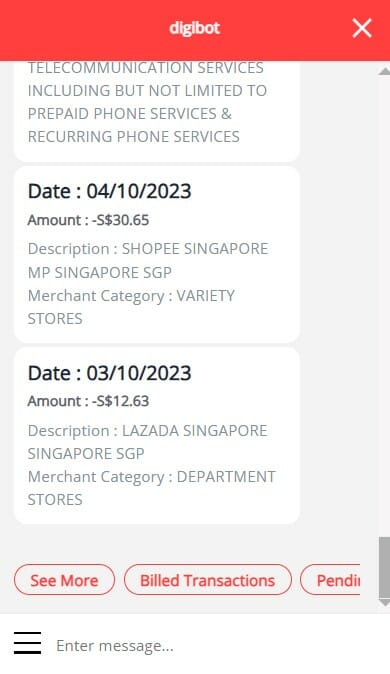
Technically, the MCC description is provided rather than the four-digit code (e.g. Department Stores instead of MCC 5311), but this is specific enough for you to find the answer with a quick Google, or by referring to this file.
The downside is that this requires significantly more steps, as you’ll have to navigate through several menu options before you can obtain the MCC. It’s definitely not the kind of thing you want to be doing while holding up the line.
Conclusion
The Instarem app now displays MCCs for declined Amaze Card transactions, but I wouldn’t rule out a return of last month’s delays.
Declined transactions aren’t free for card issuers. They still incur network and fraud-checking costs, and those add up over time. Whether or not last month’s slowdown was intentional, Instarem has already shown with wallet-linked transactions that it’s willing to make MCC checks harder.
So make the most of it while it lasts, and keep the Trust and DBS methods in your back pocket, just in case.
