
The Merchant Category Code (MCC) is a four-digit code that describes a merchant’s primary business activities. It’s a crucial piece of information in the credit card rewards game, because banks offer bonus miles or cashback based on MCCs. The right MCC can be all the difference between earning a ton of miles on a big ticket purchase, or walking away empty-handed.
Unfortunately, MCCs are usually opaque to the customer. There was a time when they could be looked up via the Visa Supplier Locator, but public access was shut off in November 2021. We then learned that DBS/POSB cardholders could discover MCCs by temporarily blocking their card, attempting a transaction, then consulting the DBS digibot. Yet this was a somewhat clunky way of doing things, plus you needed to have a DBS/POSB card.
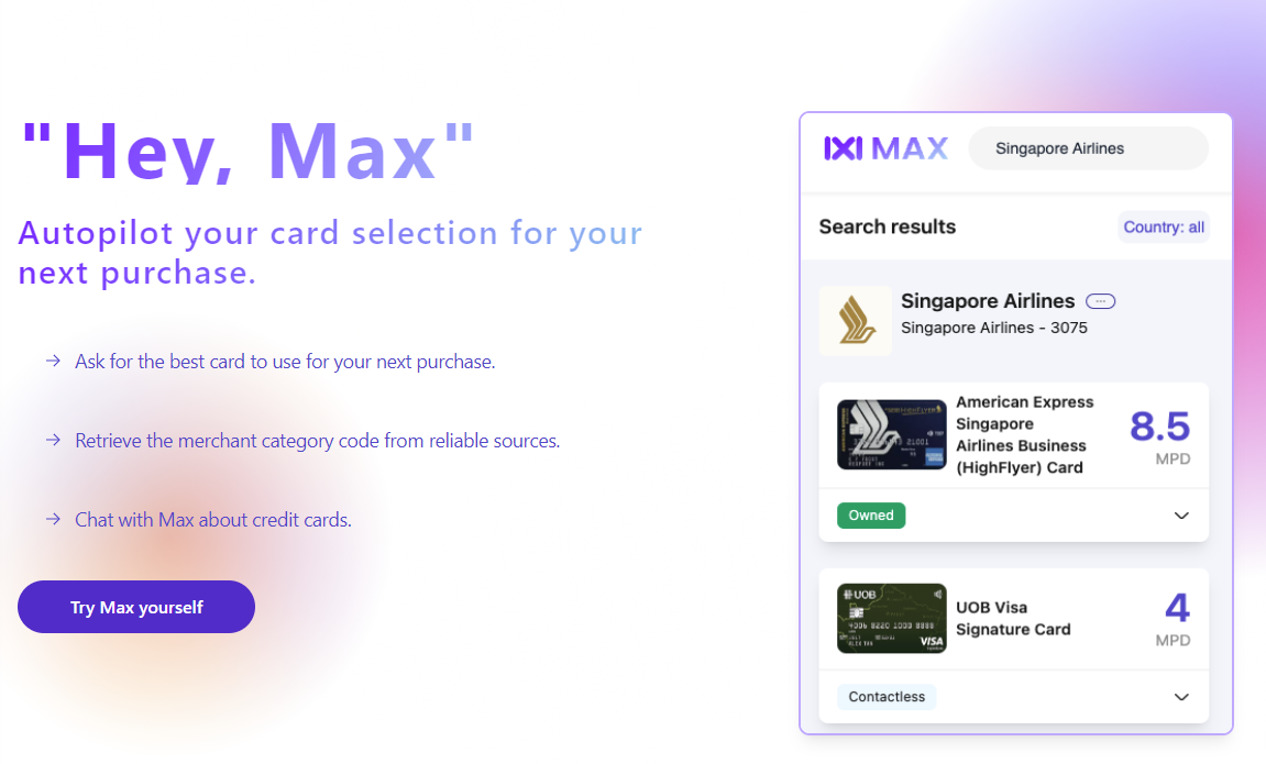
Now there’s a new applet on the block called Max, which is shaping up to be rather promising.
Finding MCCs with Max
 |
| Max |
Max is a newly-launched website that taps the Visa Merchant Lookup API to provide MCCs.
In a way, Max is WhatCard done right. The now-defunct WhatCard relied solely on crowdsourced data points, which could be misreported (unintentionally or otherwise) or out of date. While I’m sure the team put in a lot of effort, it was never going to be a sustainable endeavour. I mean, even the dude who created the famous HWZ Credit Card spreadsheet gave up eventually!
You’ll need to register an account before you can use Max, but this can be done in a few seconds. Once registered, simply type in the name of any merchant you were too shy to ask about in the Telegram group.
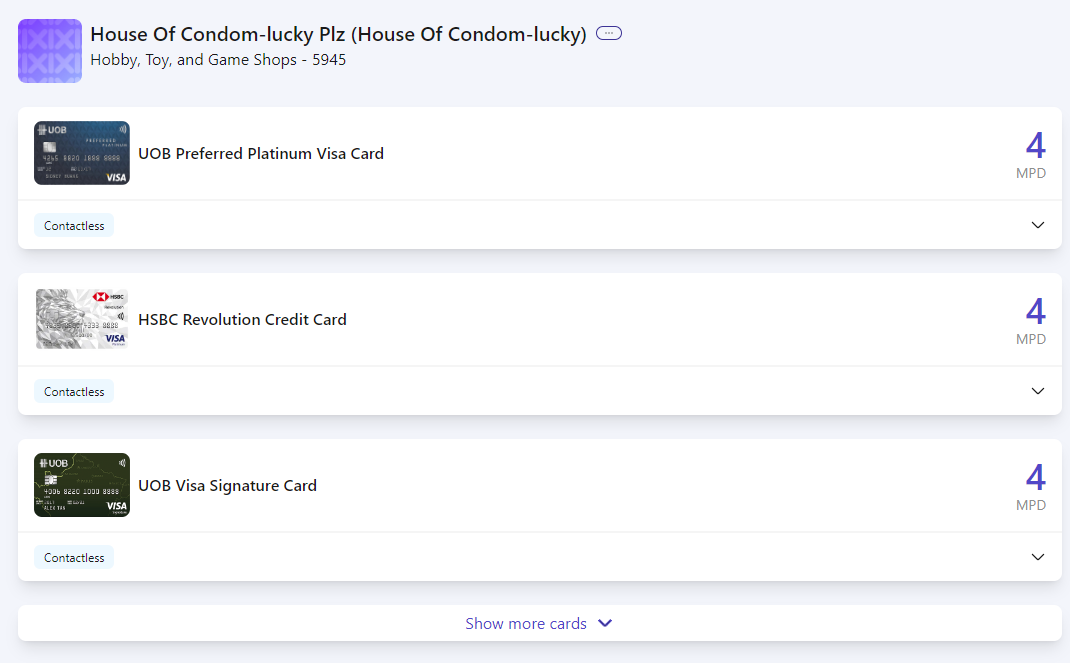
Max’s coverage isn’t just limited to just Singapore. For example, the MileLioness has a dental course in Australia, and Max let me check the MCC before paying.
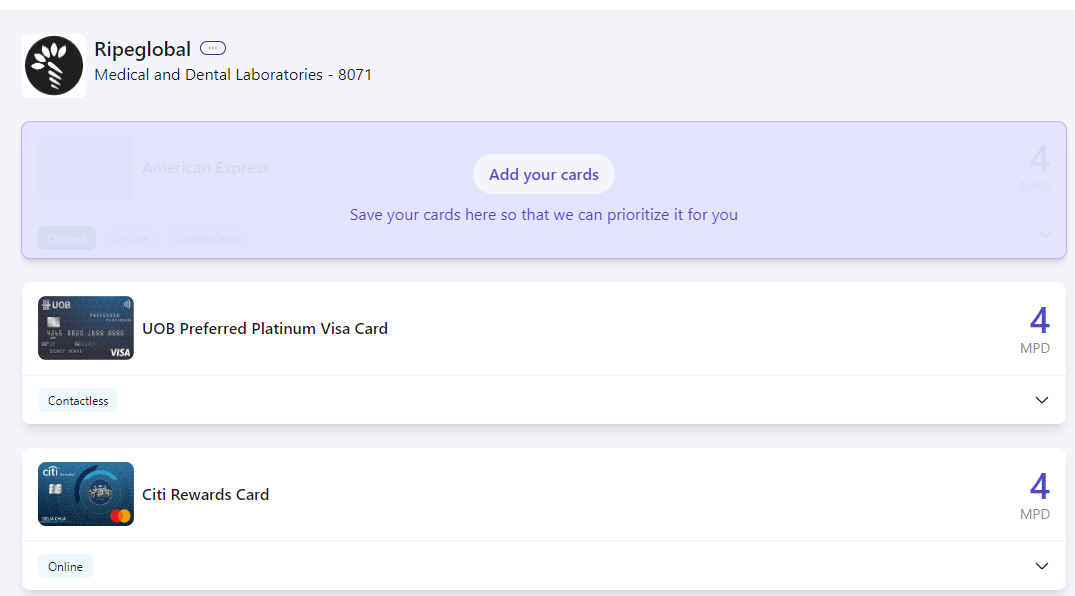
The use cases should be obvious: in a store and don’t know what card to use? Pull out your phone, “Max” the merchant, and get an answer immediately.
You may have noticed that Max also offers credit card recommendations, but I’d be more hesitant about these.
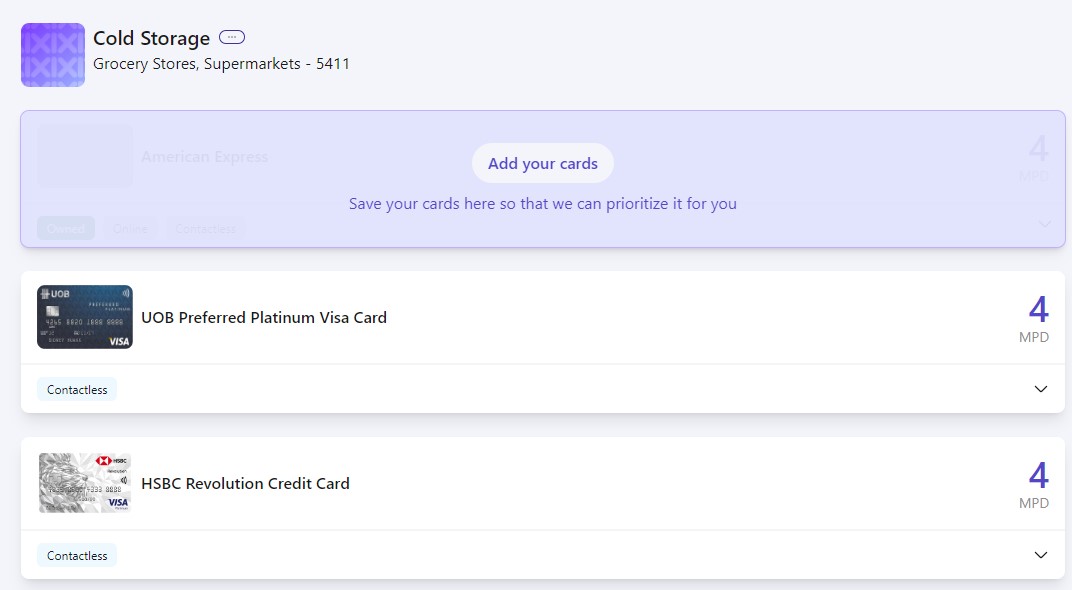
For example, it recommends using the UOB Preferred Platinum Visa Card at Cold Storage, which wouldn’t be a wise choice because Cold Storage is a UOB$ merchant. While that doesn’t eliminate all UOB cards (as I’ve covered in this article), it does rule out the UOB Preferred Platinum Visa, which will earn no miles at all.
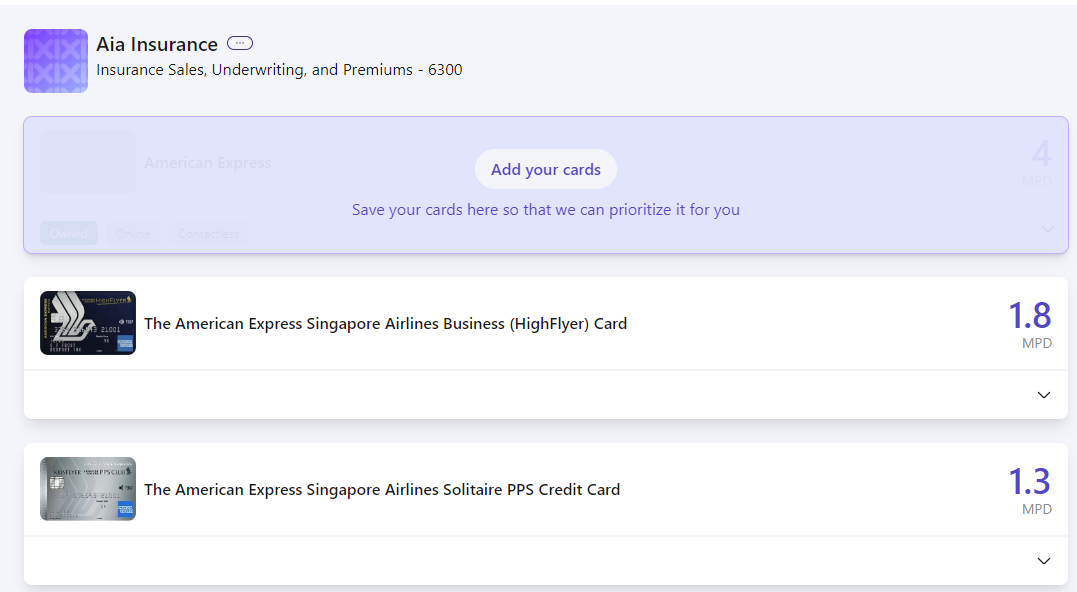
Likewise, it recommends the AMEX HighFlyer Card for AIA Insurance (does AIA even accept AMEX?), forgetting that insurance premiums were excluded from 4 April 2023. Let’s not even talk about the AMEX Solitaire PPS Card; insurance premiums were excluded all the way back in March 2020!
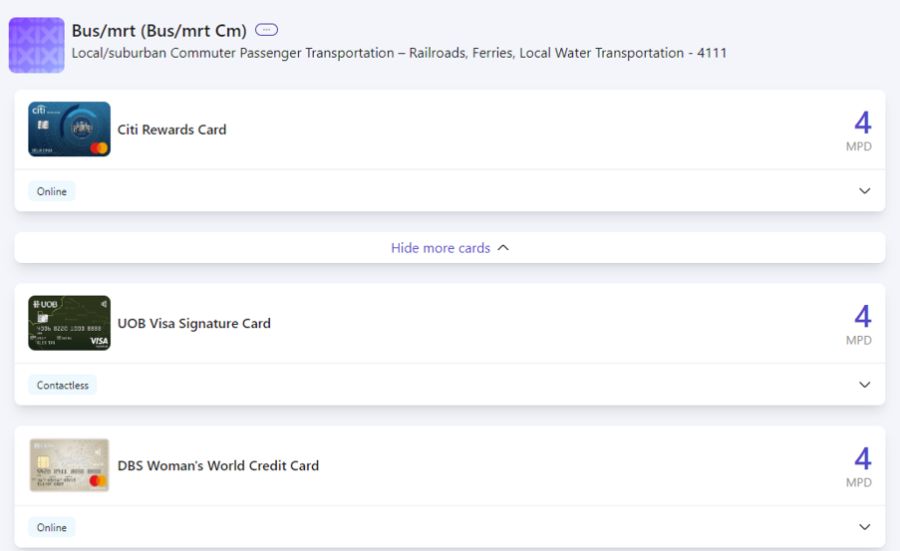
It also recommends using the Citi Rewards, DBS Woman’s World Card and UOB Visa Signature for bus/MRT rides, which will only end in tears. Stick to these cards instead!
Therefore, my advice would be to use Max more for MCC search, and less for card recommendations.
Should you rely on Max?
Here’s my take: if you absolutely, 100% need to be right about an MCC, I’d still recommend using the “block DBS card” method, outlined in the post below.
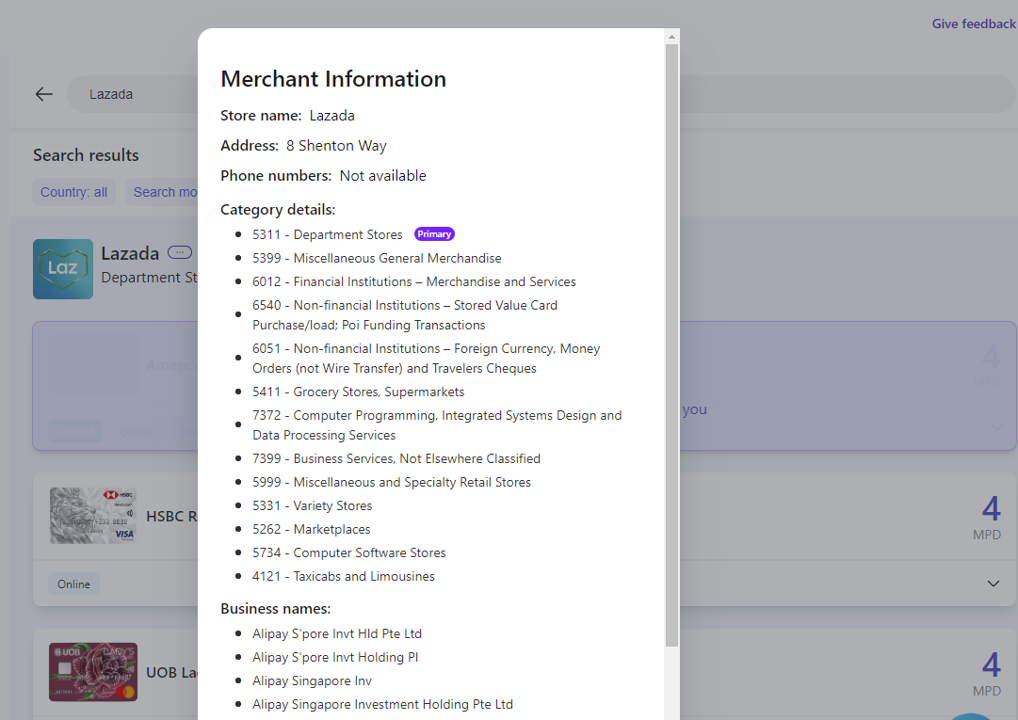
That’s because some merchants (e.g. Lazada) process transactions under multiple MCCs, and while Max can give you the range of possibilities (click on the three small dots next to the merchant’s name to see more), it can’t definitively tell you which one it’ll be.
Also, you may not be able to find the specific merchant you’re looking for on Max, because the name registered with Visa may be different from the trading name (it’s helpful to try permutations like removing spaces, swapping the order of names, using short forms).
Granted, it’s much easier to consult Max than blocking a card, making a failed transaction and checking digibot, but the latter remains the most foolproof way.
Conclusion
Max allows you to look up a merchant’s MCC before swiping your card, making it easier to maximise your miles or cashback on every transaction. The information is plucked straight from Visa so it should be reliable, though I’d be much more hesitant about the credit card recommendations for now.
All in all, a neat little tool to have, and exciting to see where it goes.



it still missing “plus amaze” feature
I expect Amaze to be nerfed before we know it. It has the Fritz vibes.
Life changing. Is it me or the UOB Krysflyer is not accurately ranked? Couple of cards missing like the OCBC voyage.
Working on improving accuracy and add more cards
There are like so many different cards give the Max team some suggestions to improve Max 🙂
Awesome! Thanks a lot
Hi Joe. We need the password reset / change password feature. Thanks!
Done!
Thank you! Able to reset / change password successfully!
When we use Fave / Shopback / KrisPay etc, is this merchants MCC code always used or does it default to the app that is being used?
Check this out as an example: https://words.heymax.ai/p/maxs-advanced-mode-how-to-use-max
Hi Joe, It’s a good thing you’ve done and thanks for sharing it with us. Cheers, D
Perhaps include the URL in the article next time 🤪
It’s in the big button below the heymax screenshot!
I think the squared angles make it look more like a picture or highlight, rather than a clickable button.
better now?
Hi! We fixed the issue with Insurance data! It should show 0 for all cards, except for the 10xcelerator ones from AMEX. We’re still trying to add more cards and slowly improve the data. But there’s lots of terms and conditions to codify into rules.
Klook Travel Technology (MCC 4722 – Travel Agencies and Tour Operations) confirmed gives bonus 3 MPD on DBS Altitude card based on my experience (Transaction has to be “online”).
Not sure about other merchants (Changi Recommends, Traveloka etc) that uses MCC 4722 though – High chance it will award 3 MPD as well (Agoda / Expedia hotels MCC is also 4722).
Thanks for your information. I’ve fixed this issue and it will come out in the next version. If you’re interested in giving us feedback, feel free to join our telegram group. We’re much more active there.
The link to it is on our website!
FYI all above mentioned problems have been Fixed.
Insurance now shows accurate CC miles
UOB$ merchants are taken into consideration.
(Fixing constantly with love from the team at Max)
FYI, Happy Fish Swim School should be 8299. I confirmed this with them.
Now CS and BreadTalk are updated and should show 1%/3% UOB$ cashback. 🙂
Hello, We’ve also updated the app to show UOB$ Cashback for those merchants. That means that Cold Storage will show 1% UOB$ cashback instead.
We’re continually making improvements. So, thanks for your feedback, Aaron!
https://heymax.ai/v2/search/cold%20storage?useVisaApi=false&country=SG